

Blogs  Password Sharing Security...
Don't Share Your Password: A Guide to Human Risk
.jpeg?width=32&height=32&name=047-FjykSoq-Wa8%20(1).jpeg)
Your "don't share your password" policy isn't a strategy; it's a hope. You're relying on everyone to remember a rule, but hope isn't a reliable defense. A real security culture is built on constant reinforcement, not just a one-time memo. How do you make sure your team doesn't just hear the rule, but lives it? You need to keep it simple and top-of-mind. Here are some clear, direct snippets you can use to transform your policy from a hopeful reminder into a daily practice. Because when people are asked to share passwords, you want their automatic answer to be no.
Don't Share Passwords
Why You Should Never Share Your Password
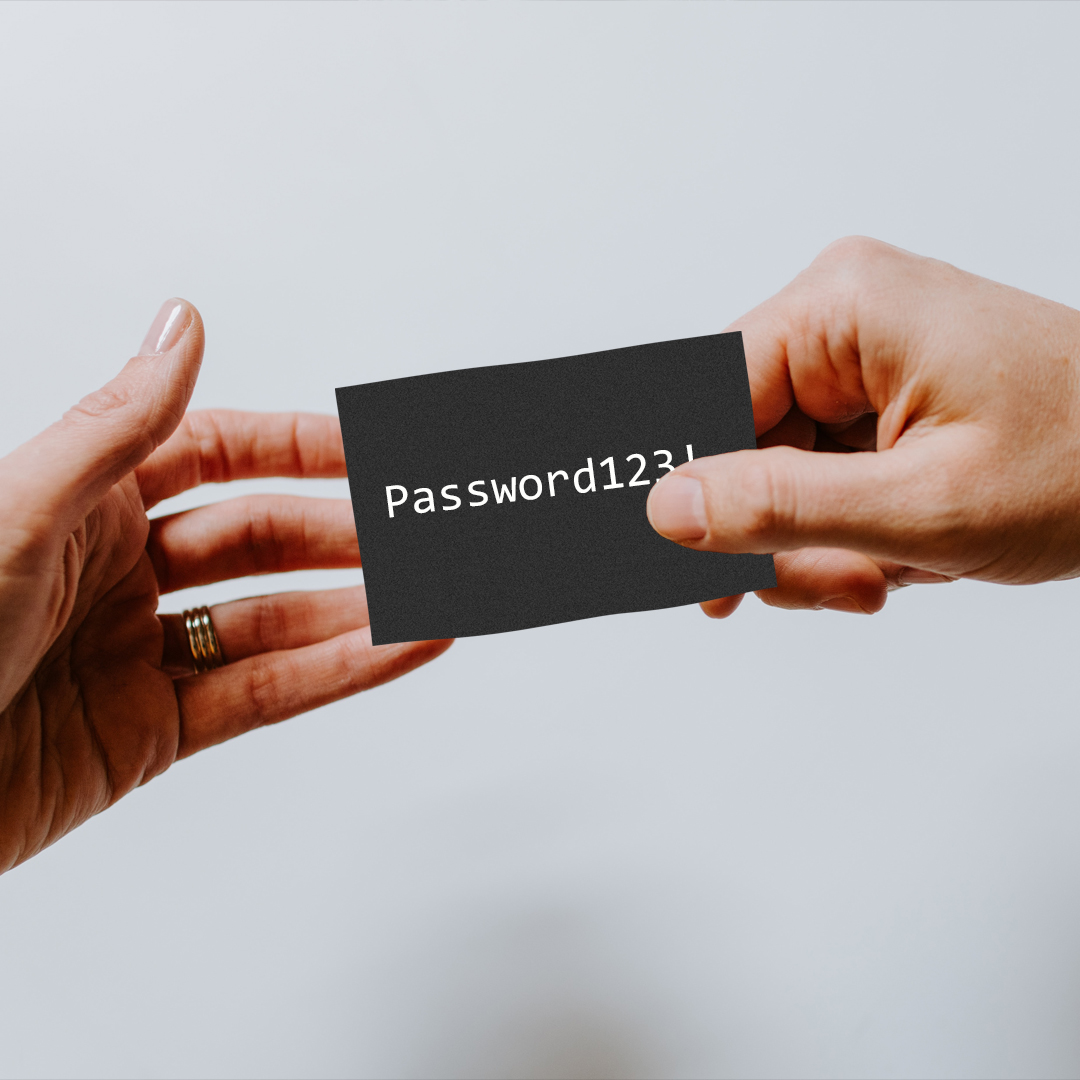
Not only is sharing passwords as nasty as a used toothbrush, it's also super unsecure. There are a few scenarios where you might want to, but here's why you don't share passwords. No amount of promises will ensure that a shared password doesn't get re-shared, and shared again, until your second-uncle once-removed has access to all your baby pictures online AND your Netflix account. This is the easiest way to lose control not only of your passwords but also of things random people know about you. And the more they know about you, the more vulnerable you become. Vulnerability is exactly what cybercriminals excel at exploiting!
The Consequences for Individuals
Identity Theft and Financial Loss
When you share a password, you’re handing over the keys to a part of your digital life. You lose control over who has that key and who they might share it with. This seemingly small act has significant personal consequences. As security experts note, "Sharing passwords puts sensitive data at high risk for identity theft, financial loss, and unauthorized account access by hackers." Once someone has your password, they can potentially access your email, social media, or even banking information. This can lead to stolen funds, fraudulent charges, or damage to your personal reputation that is difficult to repair. It’s a direct line to your private information, and once that line is crossed, it's nearly impossible to know how far that data has traveled.
Password sharing is one of the clearest examples of identity and access risk that a Human Risk Management platform is designed to surface — combining behavioral signals, access data, and threat intelligence to identify which employees represent elevated risk before an incident occurs.
The Impact on Businesses
The Link Between Stolen Passwords and Data Breaches
For an organization, the risk multiplies exponentially. A single employee sharing a password for a work-related account can create a critical vulnerability for the entire company. This is because, as research confirms, "stolen passwords are a major cause of data breaches." What starts as a convenient shortcut for one person can become the entry point for a threat actor to access sensitive corporate data, intellectual property, or customer information. This is a classic example of how individual actions contribute to an organization's overall risk posture. Understanding and managing these behaviors is the core of effective Human Risk Management, shifting the focus from reacting to breaches to proactively preventing them from happening in the first place.
The Financial Cost of an Incident
The financial fallout from a single compromised password can be staggering. In fact, "in 2023, stolen passwords caused almost half of all data breaches. The average cost of a data breach in 2023 was $9.48 million." This isn't just a hypothetical number; it represents real costs from regulatory fines, incident response efforts, and reputational damage. Preventing these incidents requires moving beyond simple awareness. The Living Security Platform is designed to predict and prevent these outcomes by analyzing signals across employee behavior, identity and access, and real-world threats. By identifying the precursors to a breach, like password sharing or susceptibility to phishing, security teams can intervene before a simple mistake turns into a multi-million dollar problem.
The Human Element: Common Password Security Mistakes
How Cybercriminals Exploit Human Behavior
Attackers understand that the easiest way into a secure network is often through the people who use it every day. Instead of spending resources trying to break through complex firewalls, they exploit natural human tendencies like trust, helpfulness, and a desire for convenience. People often share passwords because it seems efficient for team accounts or because they are tricked by cybercriminals. This manipulation is the core of most modern cyberattacks, turning your team's good intentions into a significant security vulnerability. The goal for security leaders isn't to eliminate trust but to build a culture of security that accounts for these human factors and provides a safety net against exploitation.
Understanding Social Engineering and Phishing
Social engineering is the art of deception, where an attacker tricks someone into divulging confidential information. The most common form of this is phishing, where fraudulent emails or messages, appearing to be from a legitimate source, are used to lure victims into handing over credentials. These attacks are effective because they create a sense of urgency or curiosity that bypasses rational thinking. A proactive security strategy involves more than just blocking malicious emails; it requires understanding which individuals are most at risk. By analyzing behavioral patterns, identity and access data, and real-world threat intelligence, you can predict and prevent incidents before they happen with targeted phishing simulations and interventions.
Insecure Habits in Daily Life
Beyond targeted attacks, everyday habits can create persistent security gaps. These are the seemingly small actions that, when multiplied across an entire organization, add up to a massive attack surface. Things like reusing passwords across multiple services or choosing simple, easy-to-guess credentials are common examples. While these habits are born from a need to manage dozens of accounts, they create a domino effect where one minor breach can lead to a major incident. Addressing these insecure behaviors requires a shift from simple compliance training to a more nuanced approach that focuses on managing human risk with continuous, data-driven guidance and support for every employee.
The Risk of Written Passwords and Unsecured Files
One of the most enduring insecure habits is writing down passwords. Whether it's on a sticky note attached to a monitor or in an unsecured text file on a desktop, this practice completely negates the value of strong password policies. In some company cultures, password sharing is so common that people even tape credentials to their desks for anyone to see. This physical vulnerability is a blind spot for many security programs, as it cannot be detected by network monitoring tools. It highlights the need for a human risk management strategy that provides visibility into these offline behaviors and helps foster a deeper understanding of security best practices among employees.
An AI-native security platform built with human oversight goes beyond policy reminders — it analyzes identity and access signals in real time to flag anomalous credential use and automatically trigger a targeted intervention for the employees who need it most.
The Danger of a Trusted Contact's Compromised Device
Sharing a password with a trusted colleague or vendor seems harmless, but it introduces a risk you cannot control. Even if you trust the person, their devices could be compromised, or they may not store your login information securely. This risk is amplified by password reuse. If you use the same password for multiple accounts, sharing it for a low-stakes application could accidentally give someone access to critical systems, like your financial or cloud infrastructure accounts. This chain reaction demonstrates why it's crucial to see risk in context, correlating an individual's behavior with their access privileges and the threats they face to prevent a small mistake from becoming a catastrophic breach.
Key Security Practices to Protect Your Accounts
While advanced threats get the headlines, many security incidents start with a simple, preventable mistake. Mastering a few fundamental security practices is the most effective way to protect your accounts and, by extension, your organization. These habits form the baseline of a strong security culture. For security leaders, encouraging and verifying these behaviors across the workforce is a critical first step in managing human risk. Understanding who is adopting these practices and who isn't allows you to move from a reactive posture to one where you can predict and prevent incidents before they happen by identifying your most vulnerable points.
Enable Multi-Factor Authentication (MFA)
Think of multi-factor authentication as a digital deadbolt for your accounts. A password alone is just one lock, and if a cybercriminal gets the key, they have full access. MFA requires a second form of verification, making a stolen password nearly useless on its own. As security experts advise, you should "always use MFA (like a code sent to your phone or a fingerprint scan) for extra security." This simple step is one of the most powerful actions you can take to secure an account. For organizations, enforcing MFA is a non-negotiable policy. Analyzing identity and access data can quickly reveal gaps in MFA adoption, highlighting individuals or departments that represent a higher risk and require immediate intervention.
Use a Unique Password for Every Account
Reusing the same password across multiple services is like using the same key for your house, car, and office. If a thief gets one key, they can access everything. Cybercriminals exploit this behavior through automated attacks called credential stuffing, where they take lists of stolen credentials from one data breach and try them on other popular sites. It's critical to "use different passwords for every account... This way, if one account is hacked, your others are still safe." Using a reputable password manager makes it easy to generate and store unique, strong passwords for every login, effectively neutralizing the threat of a single compromised account leading to a widespread breach of your digital life.
Create Long and Complex Passphrases
When it comes to passwords, length trumps complexity. While a short, complicated password like "J@n3!D0e" might seem secure, it's far easier for a computer to crack than a longer passphrase. A better approach is to create a memorable phrase, such as "stopping-woods-snowy-evening." It's easier for you to remember but exponentially harder for a machine to guess. The key is to make passwords long, aiming for at least 12 characters, and to avoid common words or personal information. By mixing in special characters and numbers, you add another layer of strength. This practice makes robust security more accessible and less of a burden, increasing the likelihood that people will actually follow it.
Avoid Using Public Computers or Wi-Fi for Sensitive Tasks
Public Wi-Fi at a coffee shop or airport is convenient, but it's also an insecure environment for handling sensitive information. You should not "log into your accounts using public computers or public Wi-Fi, as these are often less secure and easier for hackers to target." These open networks make it easier for attackers to intercept the data traveling between your device and the internet in what's known as a man-in-the-middle attack. Similarly, public computers could have keylogging software installed that secretly records everything you type, including usernames and passwords. For a distributed workforce, this is a critical risk factor that security teams must address through clear policies and targeted training.
Is It Ever Okay to Share a Password?
What if you reaaally need to share a password, you ask? Those things happen – you may want someone to have access to an app you like or to a utility bill you both pay. If this is the case, see if there is a way to help them create an account of their own. Most services which allow sharing, have this option available. That way, you keep positive control over your account, password and online safety. Another way to deal with it? Use a password manager. Those useful programs have an option of sharing credentials without disclosing them to the person you want to share them with. Isn’t it just a perfect solution, not only in your personal life, but also at the workplace, where sharing passwords is a common problem, which may lead to serious breaches?
Insecure Sharing Methods and Their Irrevocable Nature
Sending a password through email, a messaging app, or scribbling it on a sticky note might seem like a quick fix, but these methods create permanent vulnerabilities. The moment you share a credential, you lose control over it. You can't dictate how it's stored, who else sees it, or if it's used securely. This single action introduces a significant blind spot into your organization's security posture. Understanding the human behaviors that lead to these actions is the first step in managing the associated risk. Proactively identifying these patterns allows security teams to intervene before a simple shortcut turns into a costly data breach, which is a core principle of effective Human Risk Management.
Guidelines for Specific Scenarios
Working with IT Staff
Even when you're facing a technical issue, you should never share your password with IT staff. Your IT or security teams have administrative privileges and tools that allow them to resolve issues without ever needing your personal credentials. They can reset your password or use a secure, audited process to access your account if absolutely necessary. Providing your password directly circumvents established security protocols and fosters a culture of risky behavior. Enforcing this policy is critical for compliance and security, and it's a key part of a robust security awareness program that reinforces safe practices across the entire organization.
Managing Shared Accounts After a Relationship Ends
When a team member transitions to a new role or leaves the company, managing shared account access is a critical security checkpoint. This isn't just about deactivating their primary account; it's about auditing and rotating every shared credential they had access to, from team software licenses to social media accounts. Overlooking this step leaves a door open for potential misuse, whether intentional or accidental. A modern security platform helps prevent these gaps by correlating identity and access data with behavioral signals, flagging potential risks that arise from changes in personnel and ensuring your offboarding process is truly secure.
Shared a Password? Here’s What to Do Next
What if you share it anyway? And it gets re-shared, and someone logs in as you? First, you can’t be sure why they’re logging in and what they want to do (but believe me, if someone is using your credentials to log in without your knowledge, they can’t have good intentions…). Second, you would never know their identity. You get the point, sharing is not caring with passwords … or toothbrushes.
Change the Password Immediately
If you find yourself in a situation where you've shared a password, the most critical step is to change it immediately. Once shared, you completely lose control over those credentials, leaving your organization vulnerable to attack. While changing the password is a necessary reactive measure, the real goal is to prevent this behavior from becoming a pattern. This is where a proactive strategy becomes essential. A modern Human Risk Management program moves beyond simple awareness by analyzing real-world signals across employee behavior, identity, and incoming threats. This comprehensive view allows security teams to predict which users are likely to engage in risky actions, like password sharing, and intervene before an incident occurs. For future situations where shared access is unavoidable, guide your teams to use a password manager, which grants access without ever exposing the password itself.
To see how Living Security identifies and reduces identity and access risk across your entire workforce, request a demo and discover what predictive Human Risk Management looks like in practice.
Frequently Asked Questions
Our security awareness training already covers password policies. Why isn't that changing employee behavior? Traditional training often focuses on compliance, not on changing ingrained habits. People might know the rules but revert to convenient, insecure practices like password sharing under pressure. A more effective approach is to understand the why behind these actions. By analyzing data across employee behavior, identity, and real-world threats, you can move from simply stating a policy to predicting where it will fail. This allows you to provide targeted interventions, like a quick nudge or micro-training, at the exact moment it's needed, making security a daily practice instead of an annual quiz.
Isn't enforcing multi-factor authentication (MFA) enough to solve the password problem? MFA is a critical layer of defense, but it isn't a complete solution on its own. Attackers are constantly developing ways to bypass it, and gaps in MFA adoption across all applications can leave significant vulnerabilities. Furthermore, MFA doesn't address the root cause of the problem, which is risky human behavior. A stolen password, even for an MFA-protected account, can still be used in credential stuffing attacks on other, less secure services. A true security strategy looks at the whole picture, correlating MFA gaps with other risky behaviors to identify your most vulnerable points before they can be exploited.
What's the most effective way to handle shared accounts for teams without compromising security? The best practice is to avoid sharing credentials entirely. Most modern applications offer team-based access controls that allow you to grant individual permissions without ever sharing a password. For the few cases where a shared account is unavoidable, a business-grade password manager is the right tool. These platforms allow you to grant access to a credential without revealing the password itself, and they provide a clear audit trail of who accessed it and when. This method maintains security and control, turning a high-risk practice into a manageable, auditable process.
An employee shared a credential. What's the immediate response, and how do we prevent it from happening again? The immediate response is to change the password for the compromised account and any other account where that password might have been reused. Then, investigate the scope of the incident to see if any unauthorized access occurred. To prevent it from happening again, you need to look beyond the single event. This incident is a data point that signals a potential pattern of risky behavior. A human risk management platform can help you correlate this action with other signals, like phishing susceptibility or access levels, to determine if this is an isolated mistake or a sign of a higher-risk individual who needs targeted guidance.
My team says they only share passwords with trusted colleagues. What's the risk in that? Trust doesn't equal security. When a password is shared, you lose all control over it. You can't know if that trusted colleague writes it on a sticky note, saves it in an unsecured file, or uses a device that is already compromised with malware. Their good intentions can't protect the credential once it leaves your control. This creates a blind spot where a single person's mistake can become an entry point for an attacker, demonstrating why a "zero trust" policy for credentials is the only secure approach.
Key Takeaways
- Connect Individual Actions to Business Risk: A single shared password is not just a personal mistake; it's a corporate vulnerability that directly exposes your organization to data breaches. Understanding this link is the first step in shifting from reactive incident response to proactive risk prevention.
- Build Defenses Around Human Behavior: Cybercriminals target predictable human habits because it is the most efficient path to gaining access. A strong security program anticipates these behaviors, using targeted interventions and tools to counter social engineering and phishing attempts effectively.
- Prioritize Foundational Security Practices for Measurable Impact: The most effective way to reduce risk is by consistently applying core security controls. Mandate multi-factor authentication (MFA), require unique passphrases for every account with a password manager, and establish clear guidelines for secure data handling.
Related Articles
.jpeg?width=200&height=200&name=047-FjykSoq-Wa8%20(1).jpeg)
Crystal Turnbull
Crystal Turnbull is Director of Marketing at Living Security, where she leads go-to-market strategy for the Human Risk Management platform. She partners closely with CISOs and security leaders through executive roundtables and industry events, helping organizations reduce human risk through behavior-driven security programs. Crystal brings over 10 years of experience across lifecycle marketing, customer marketing, demand generation, and ABM.


